Start Here!
Volunteers are a crucial part of our organization and capturing the impact through the number of hours donated is an important part in our reporting.
It is very important to track and log all hours volunteered so that your hours are accurately recorded. You will record your volunteer hours via Neon One. If you need verification of your donated time please contact: volunteer-coordinator@seattlemathmuseum.org.
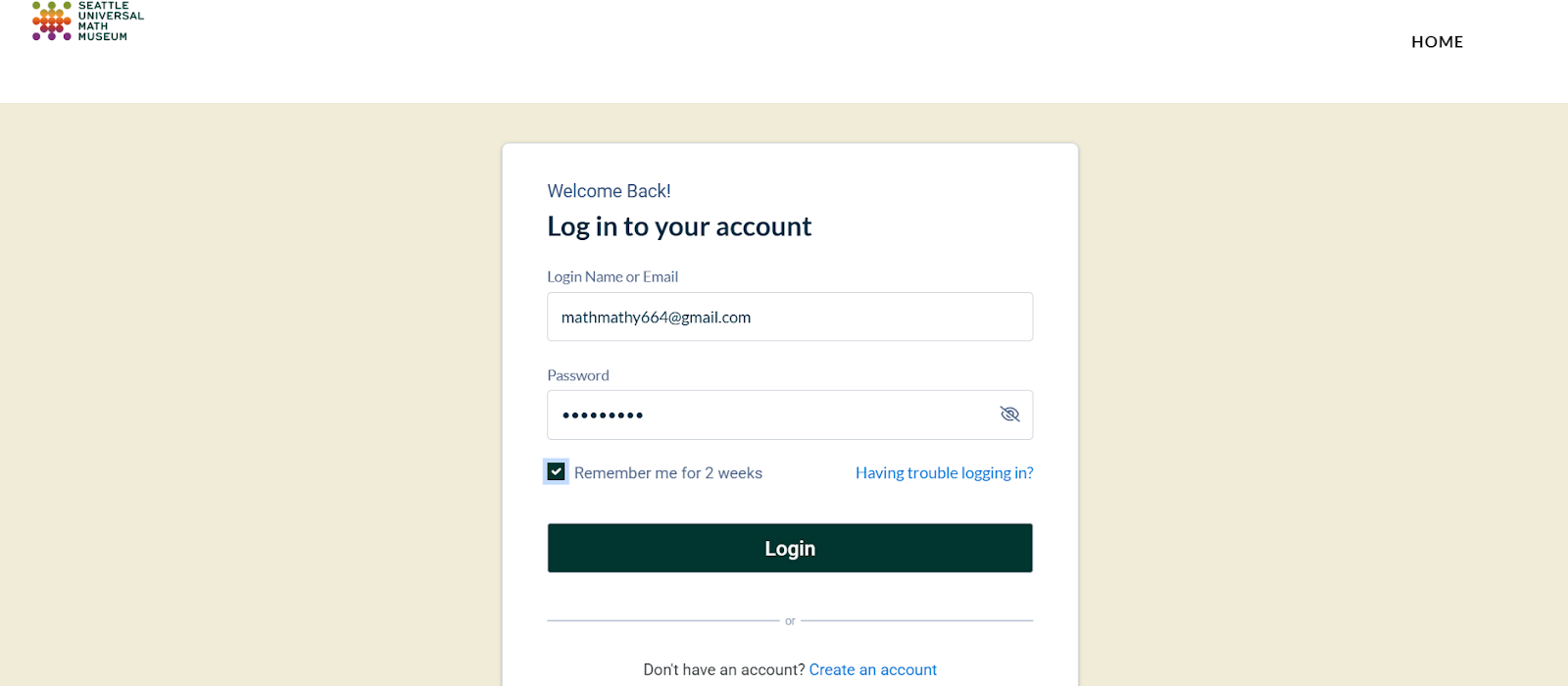
Login in to your Neon One account portal (HERE).
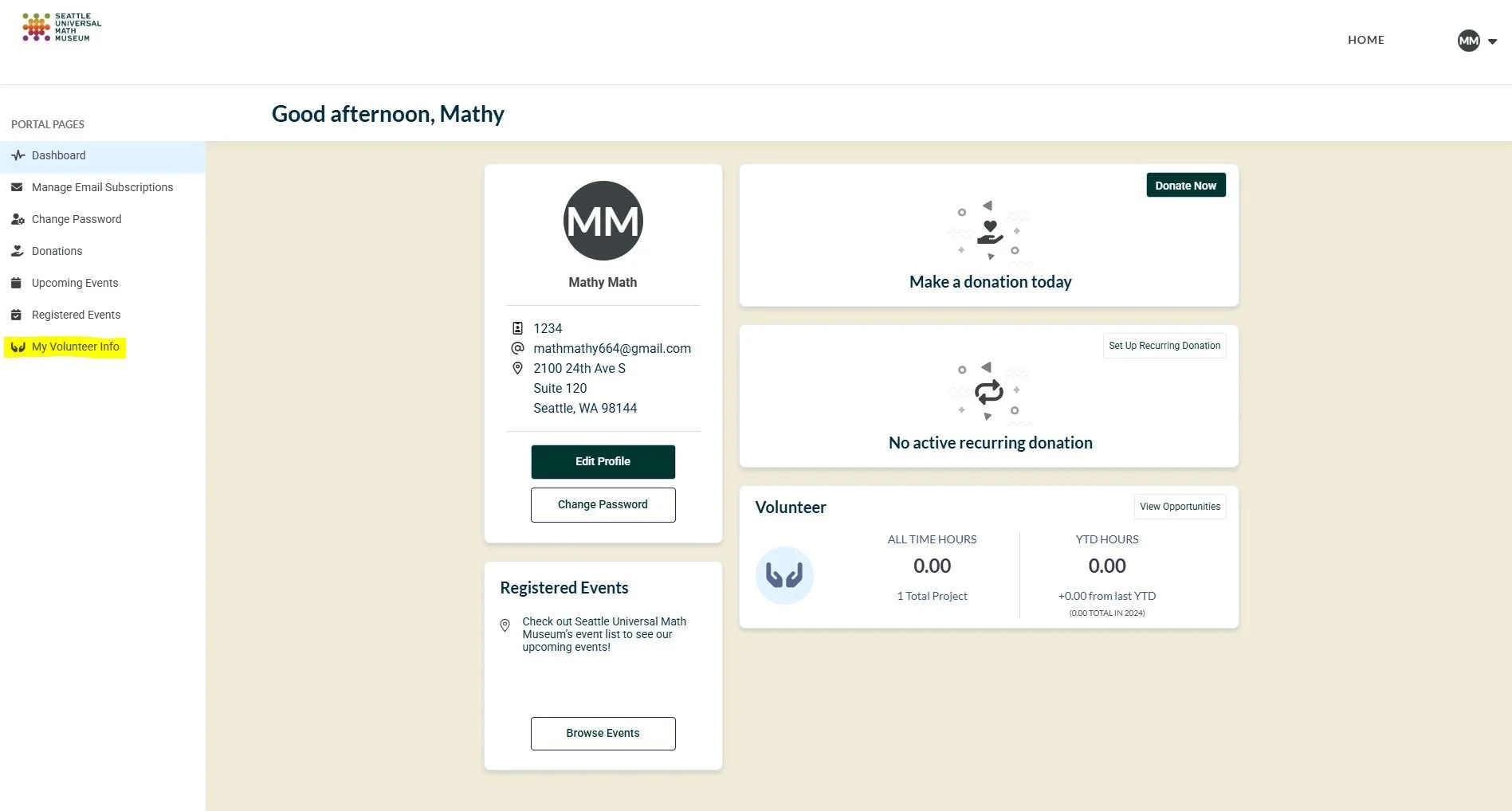
2. Once you enter the main Dashboard of your account, select “My Volunteer Info” on the Left Hand Menu Bar.
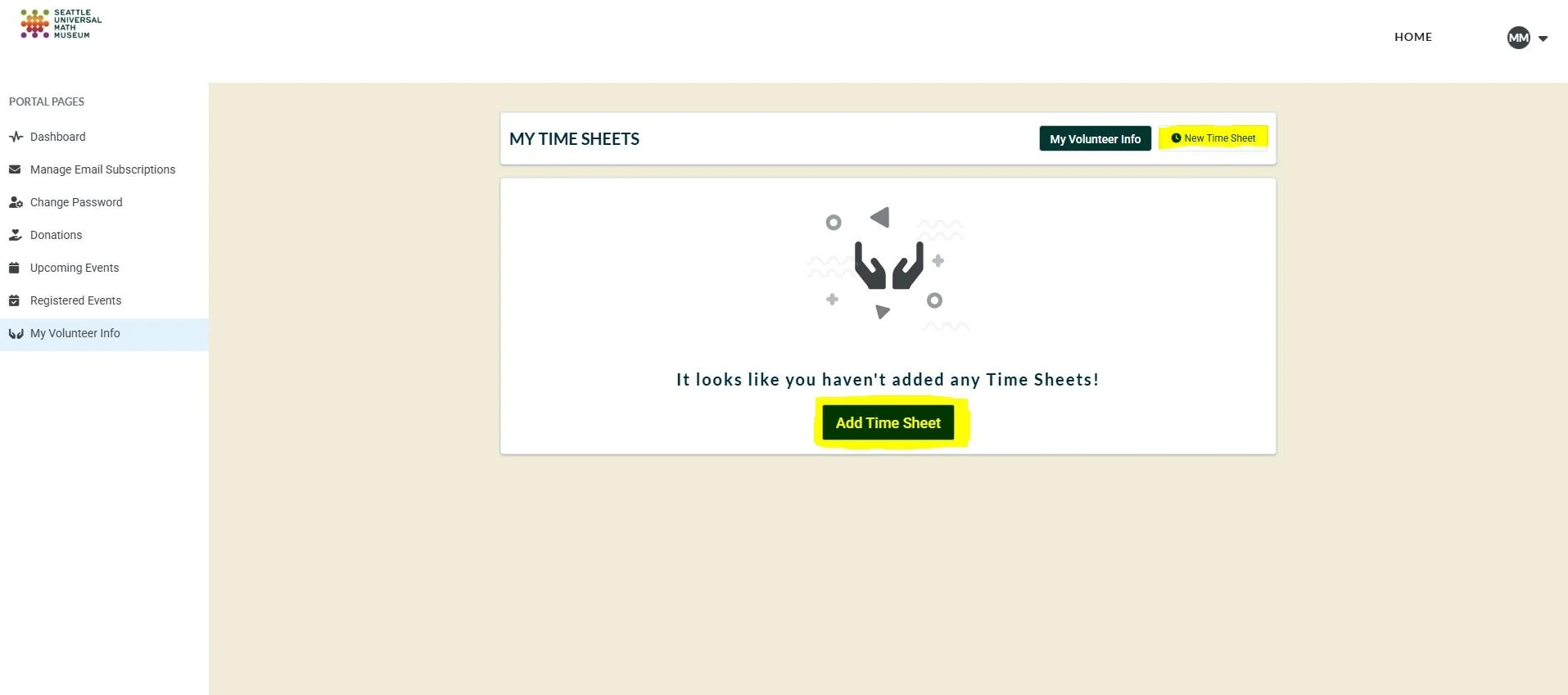
3. You will see any opportunities that you have successfully signed up for listed on this page. Select “My Time Sheets” from the top banner titled ‘MY VOLUNTEER INFO”.
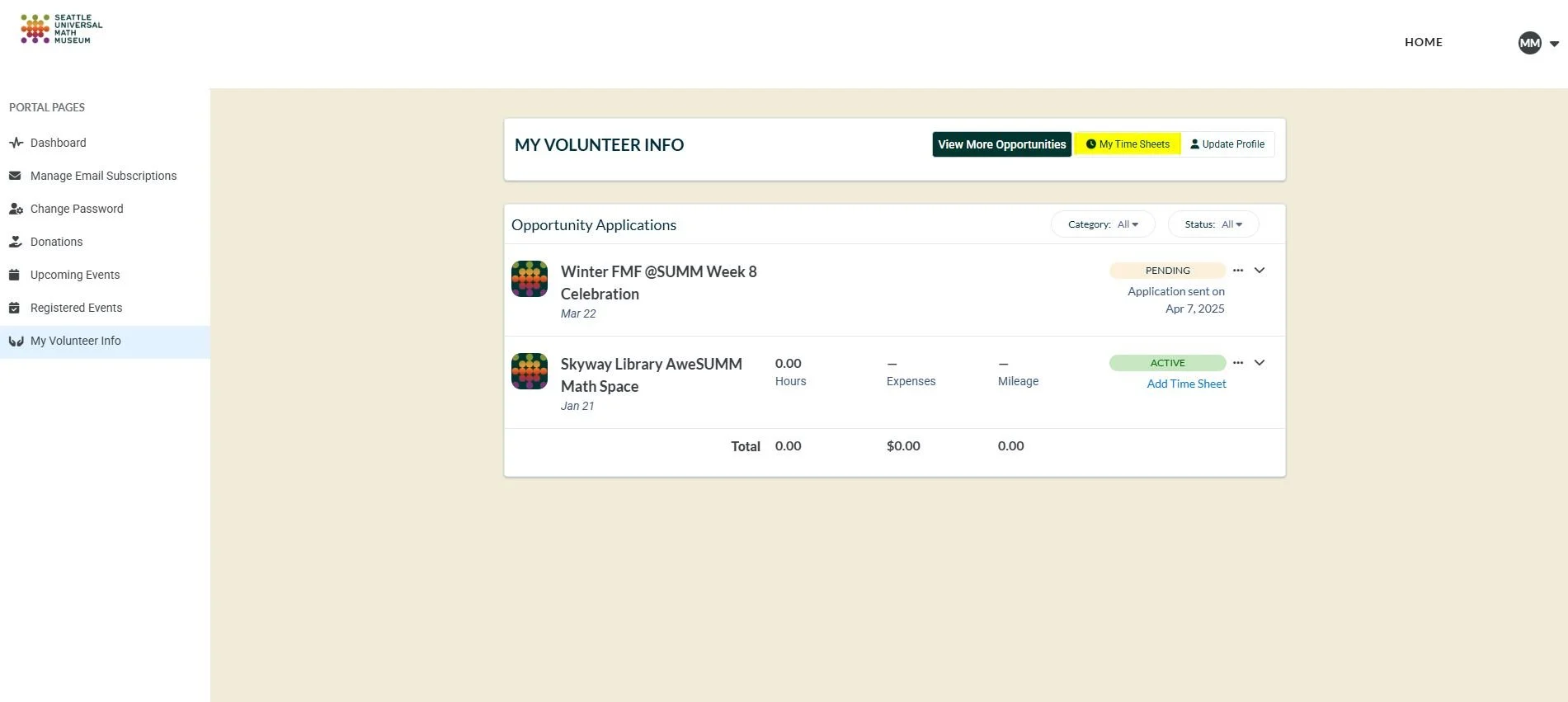
4. Click on either “New Time Sheet” OR “Add Time Sheet”.
5. a) Select the event that you volunteered at using the drop down menu under “Opportunity”.
Did you volunteer with us and your opportunity is not listed? You can leave the “Opportunity” blank.
b) Identify the correct date that corresponds with your volunteer opportunity. The system should auto-populate the correct week, but if you need, you can select the correct week that the event occurred by clicking on the field “Week”.
c) Record the number of hours that you volunteered for the volunteer opportunity corresponding to the date that the event occurred. Record the number of hours by inputting the number under the “Hours” column. Alternatively, you can select the shift you signed up for which will also record the accurate hours volunteered.
d) You click the “Add” option under each date if you need to add additional hours.
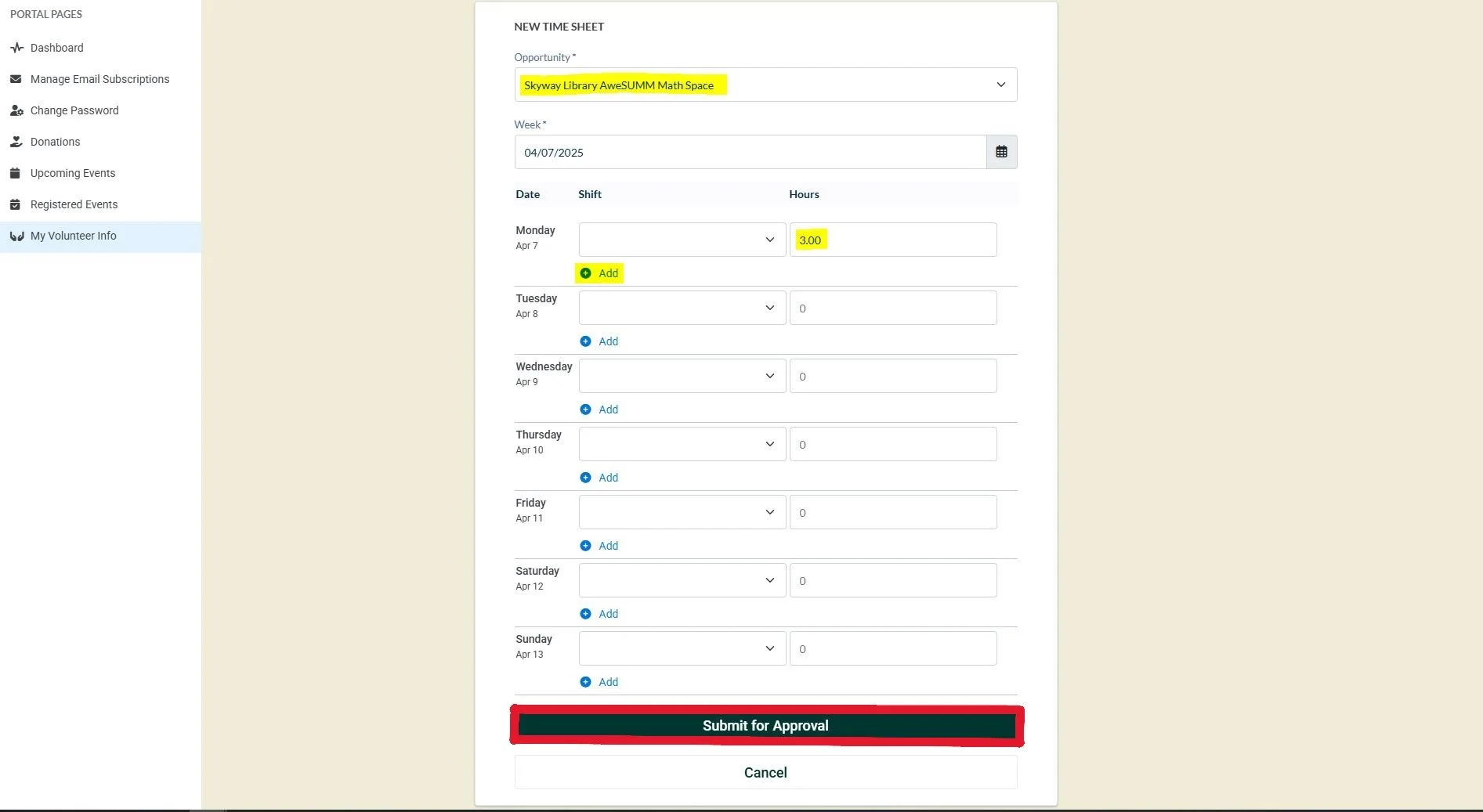
6. Click “Submit for Approval” to submit your time. Your recorded time will be sent to the Volunteer Coordinator who will then review your time for approval.
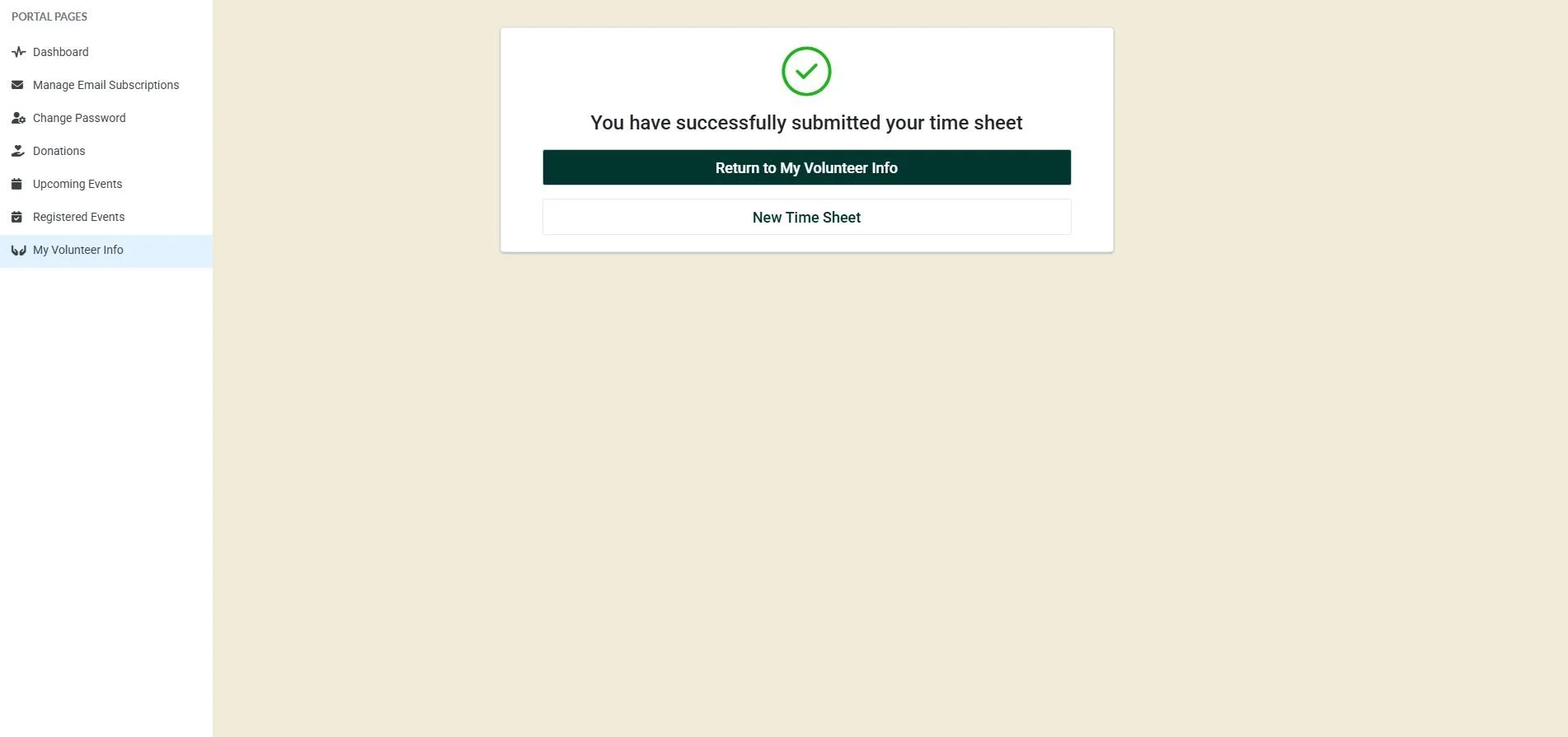
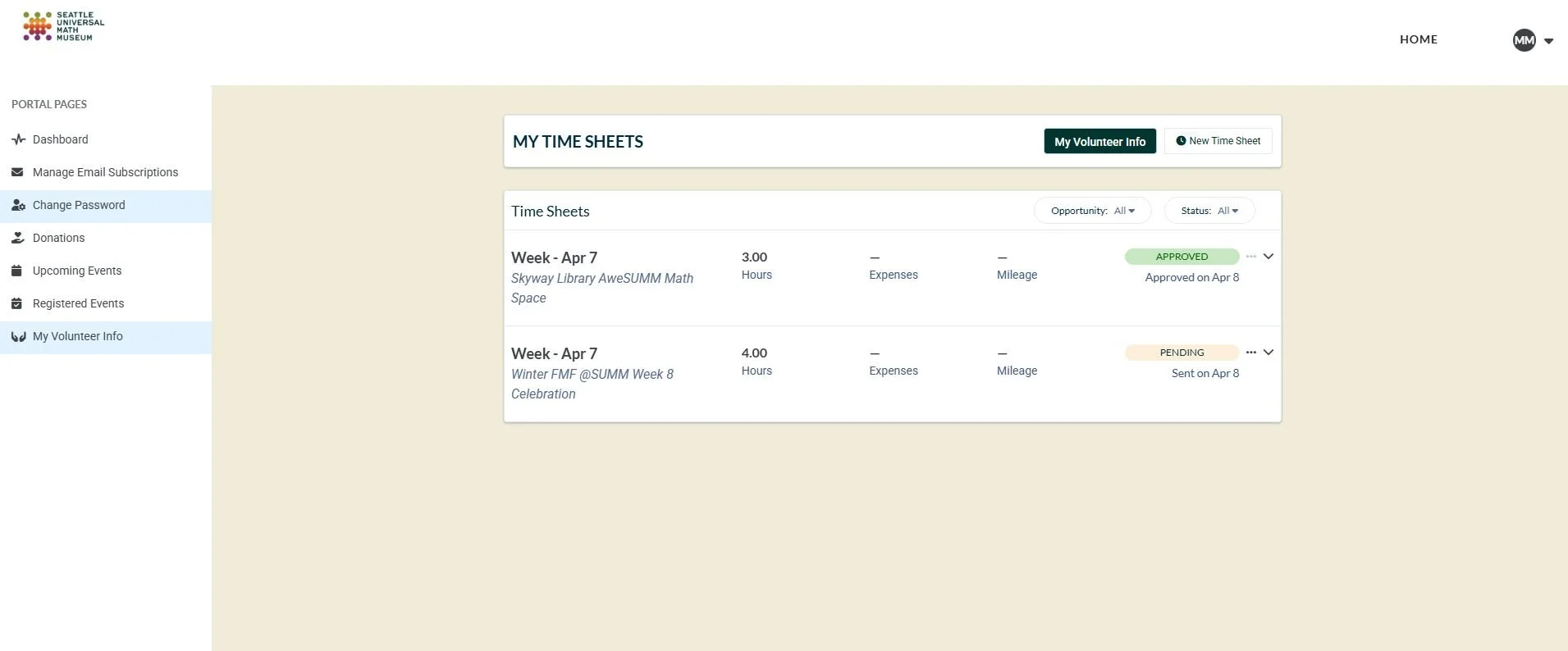
7. To review your submitted time, select “Return to My Volunteer Info” or Select “My Volunteer Info” from the Left Hand Menu Bar. Select “My Time Sheets” from the top banner titled ‘MY VOLUNTEER INFO”.
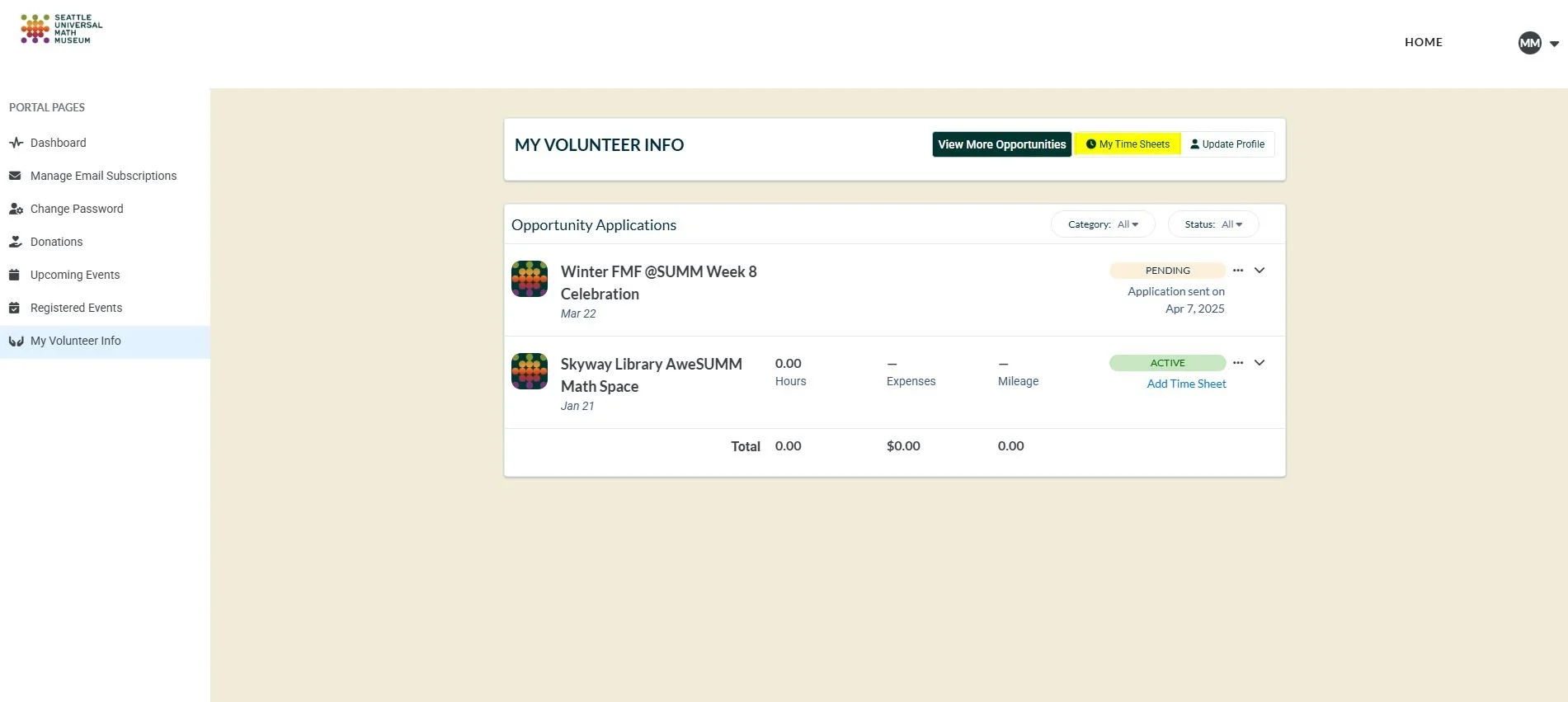
8. Once your time is approved by the Volunteer Coordinator, it will show “Approved”. If your time is still under review, it will show “Pending”.