
Start Here!
Once you are approved to get started as a SUMM volunteer, you will be able to sign up for a volunteer opportunity through your Neon One Account.
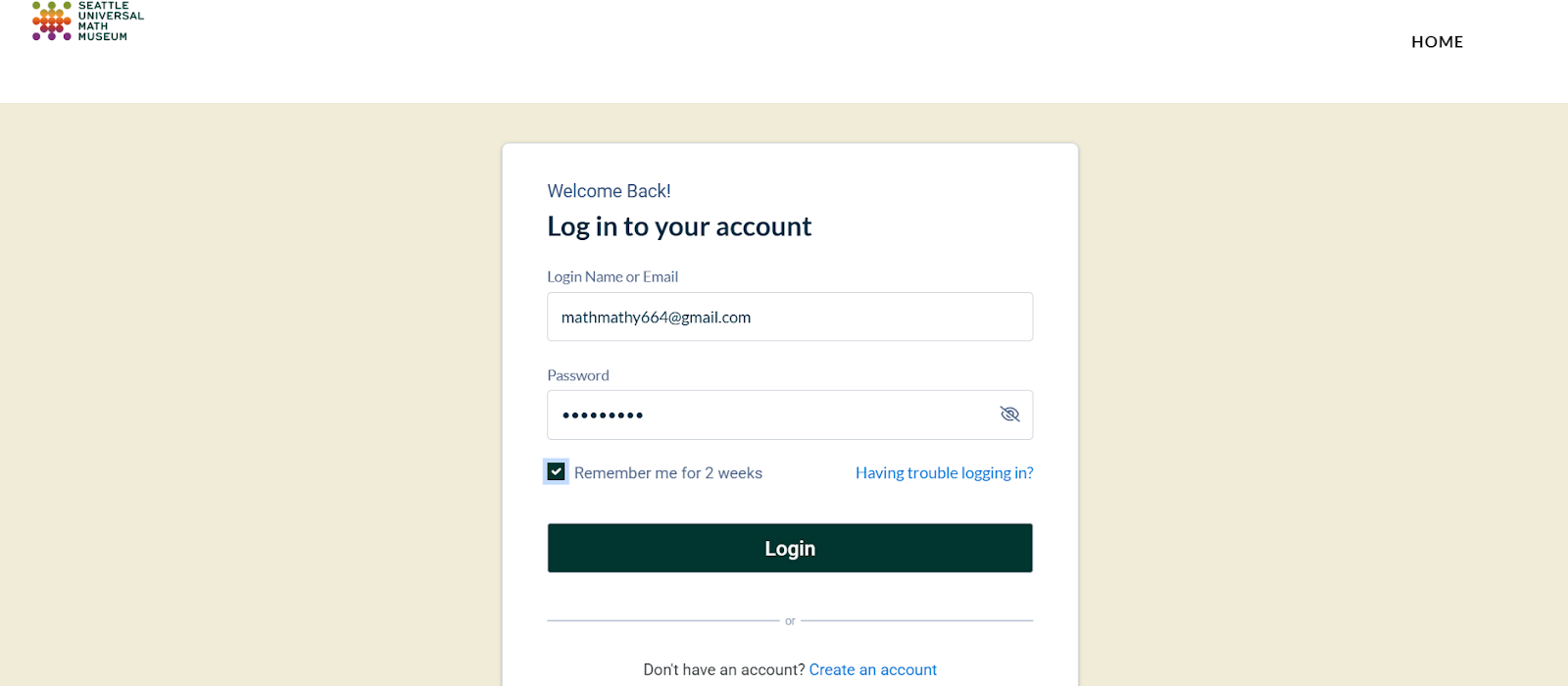
Login in to your Neon One account portal (HERE).
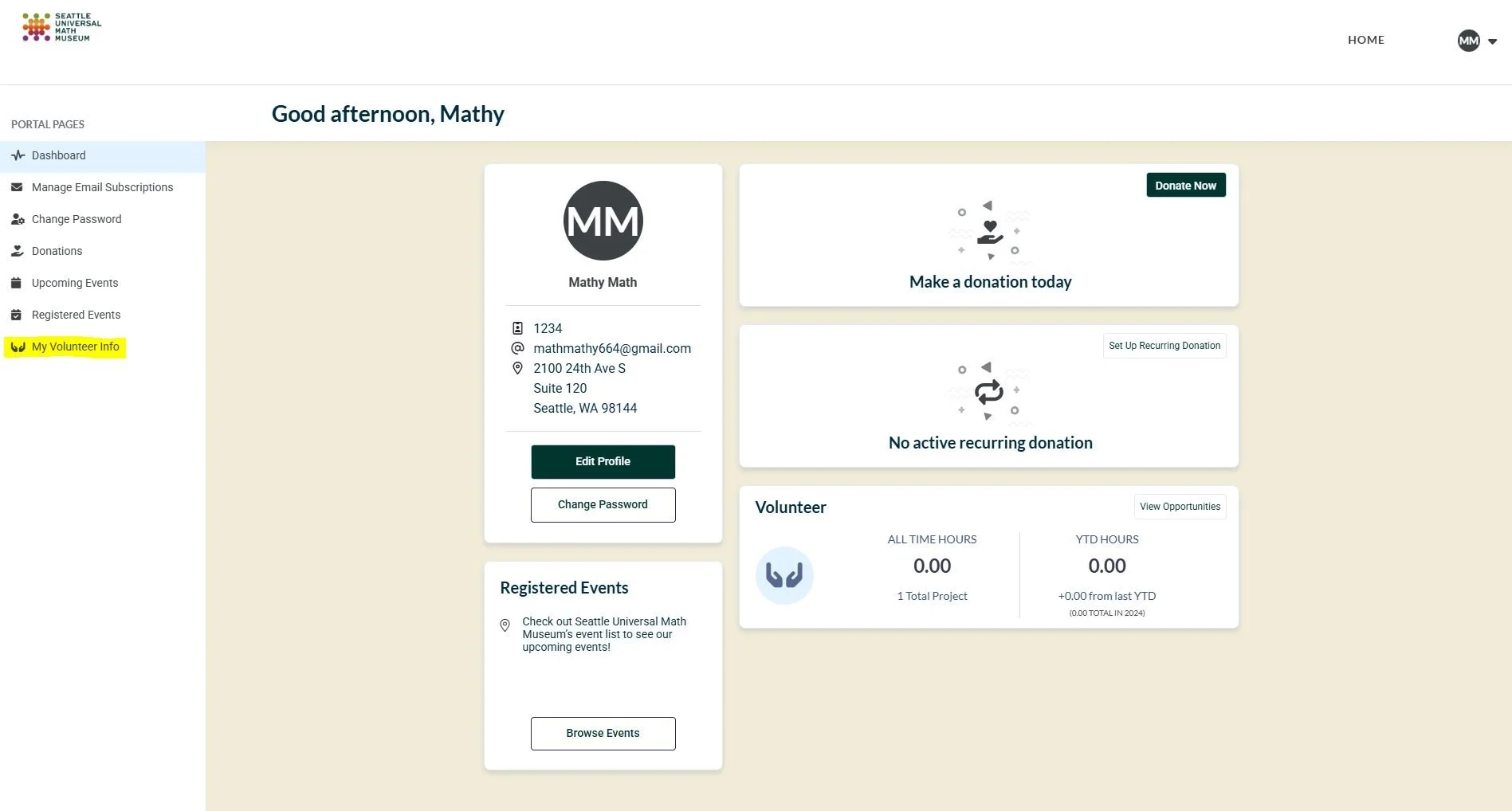
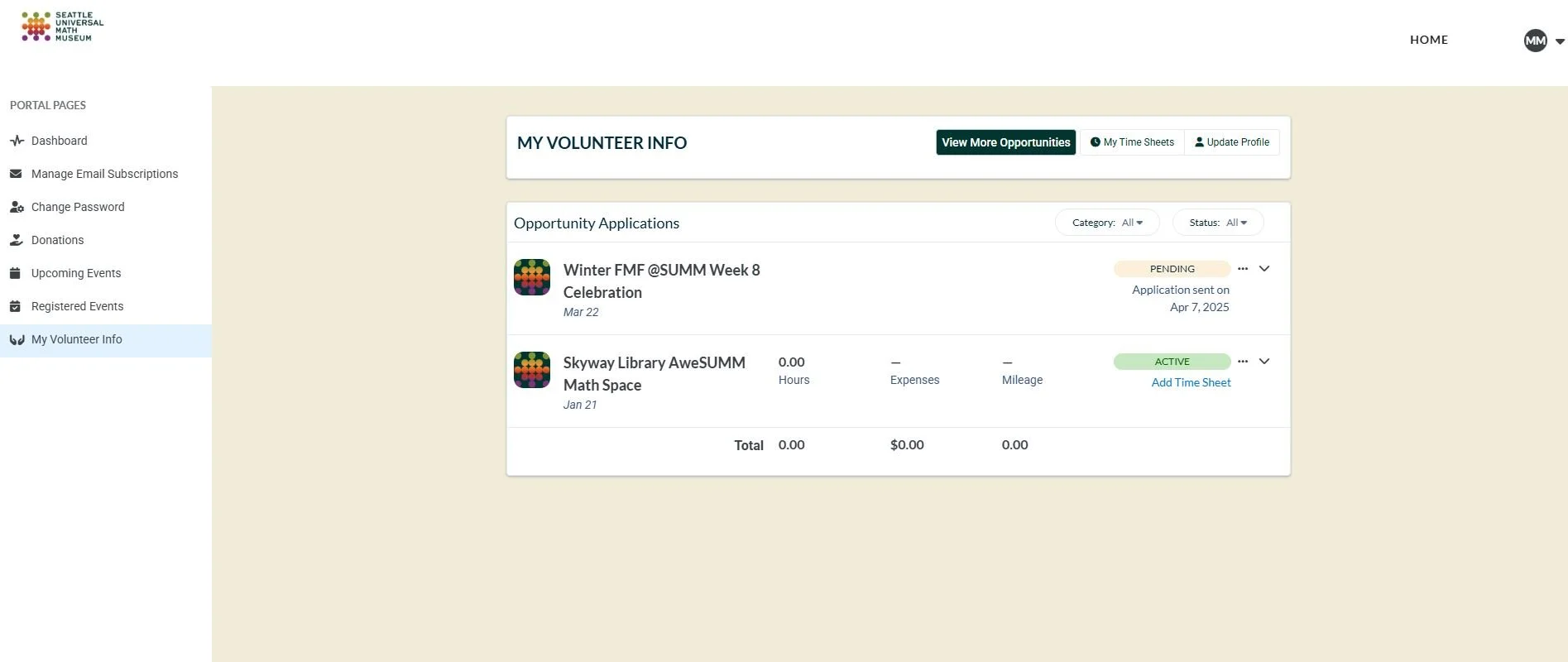
2. Once you enter the main Dashboard of your account, select “My Volunteer Info” on the Left Hand Menu Bar.
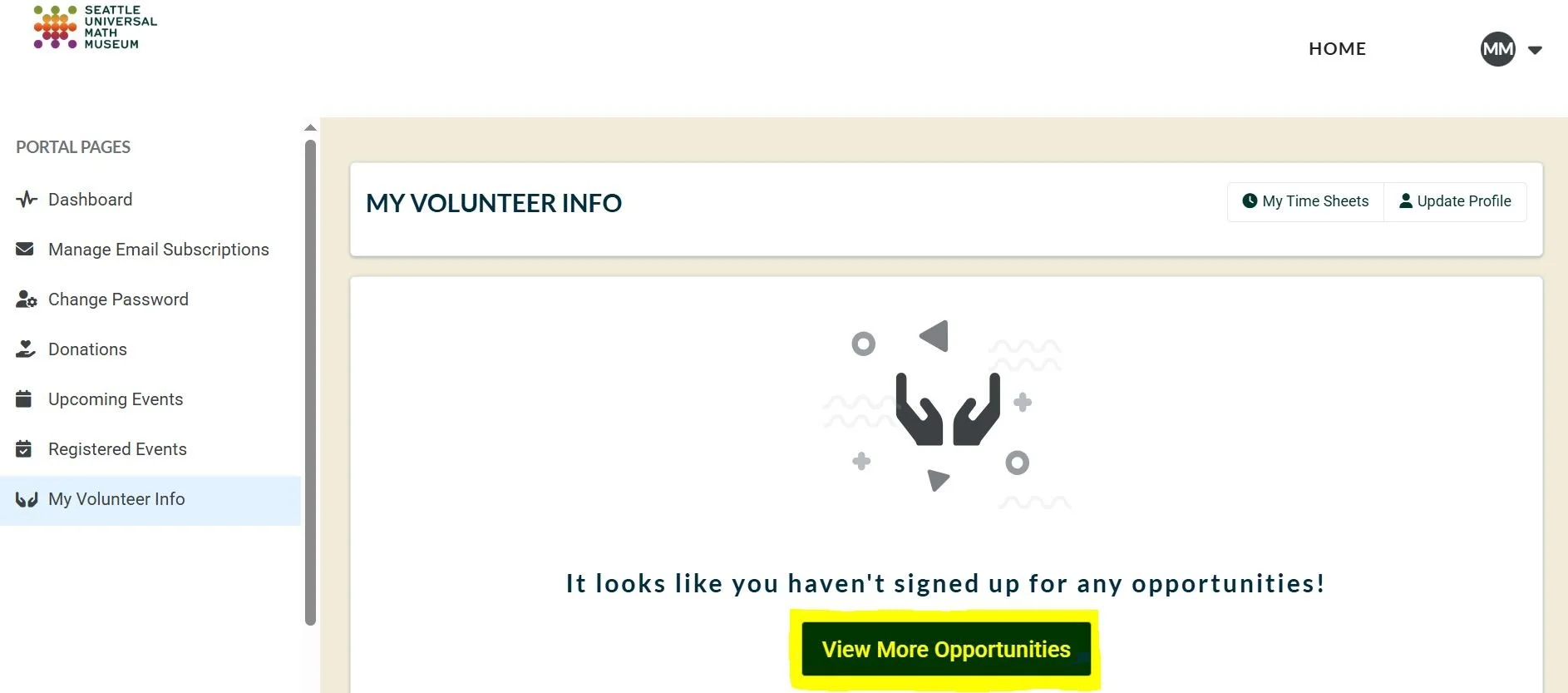
3. You will see any opportunities that you have successfully signed up for listed on this page. Select “View More Opportunities” box in the center of the page.
4. You will see a list of all the current volunteer opportunities available where we still need volunteers. You can also hit “Apply Filters” at the top to filter for specific types of events and opportunities.
Tip: We update this list regularly, so continue to check back for new opportunities that are added!
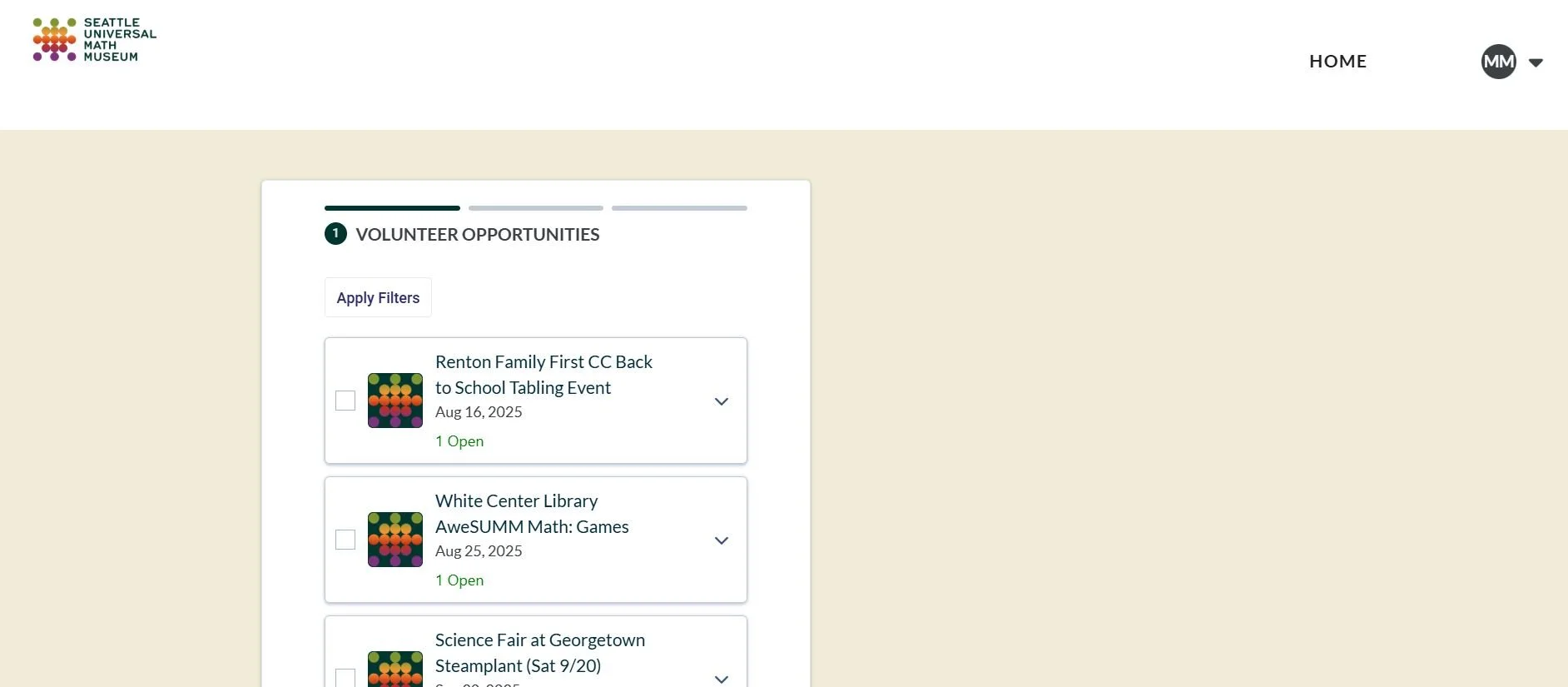
5. You can also click on the arrow next to each event to see more details for opportunity including: a description of the event, the time for the shift, how many volunteers we are asking for each shift, and any other important notes.
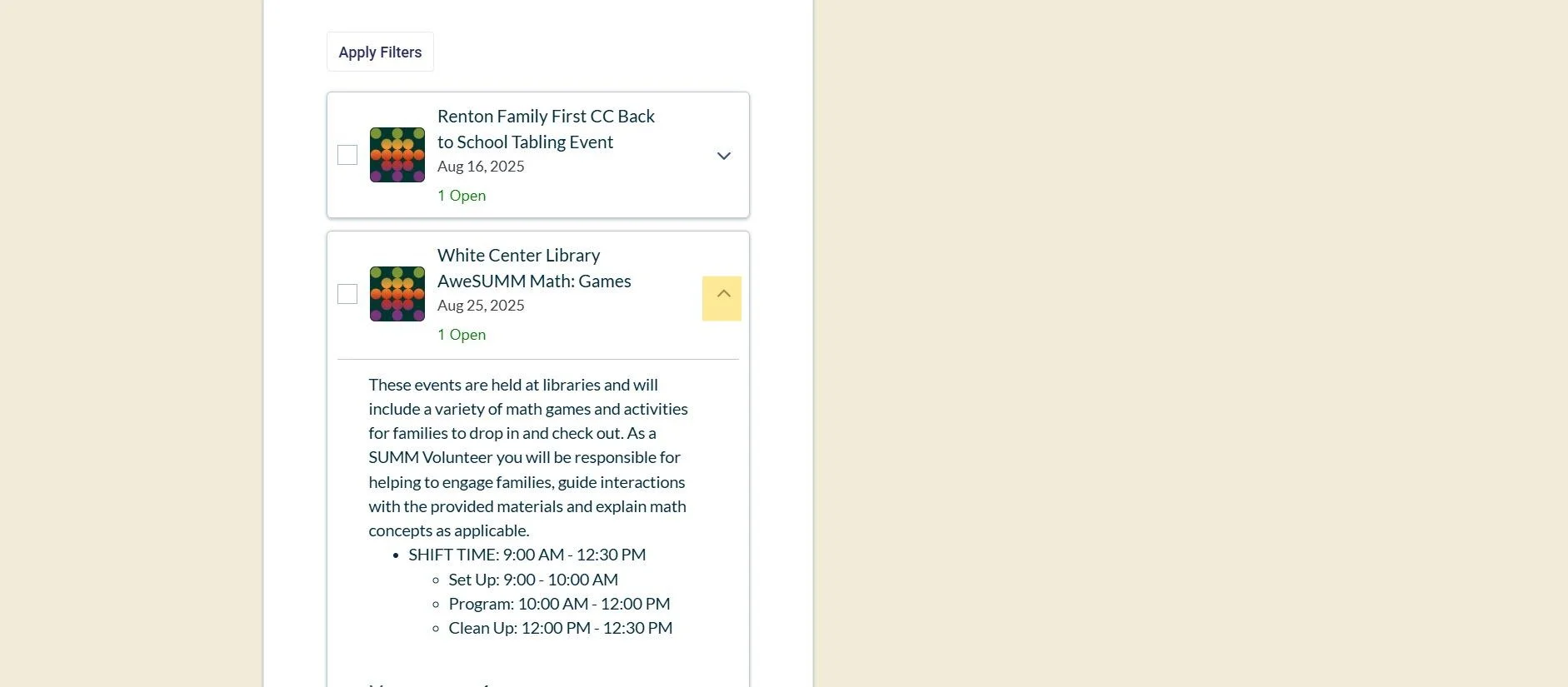
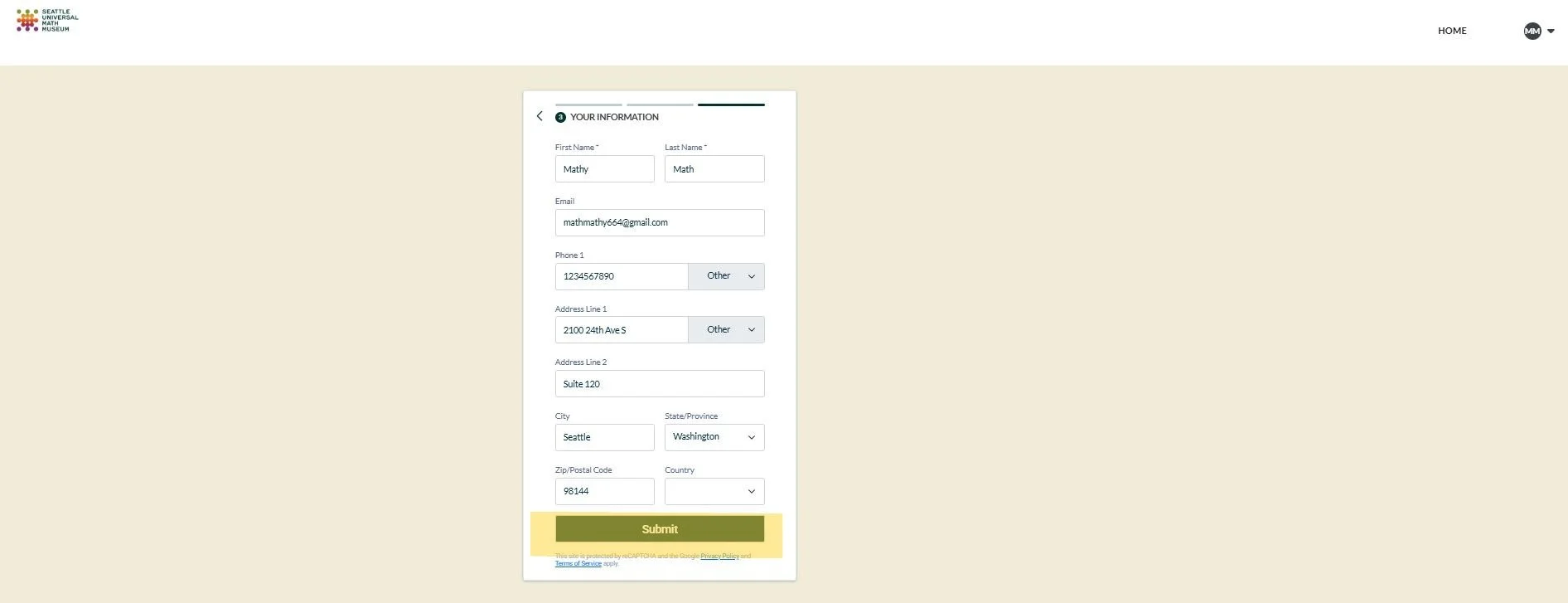
6. When you identify an opportunity you are interested in committing to, you can click the box on the left of the opportunity. Then, select “Next”.
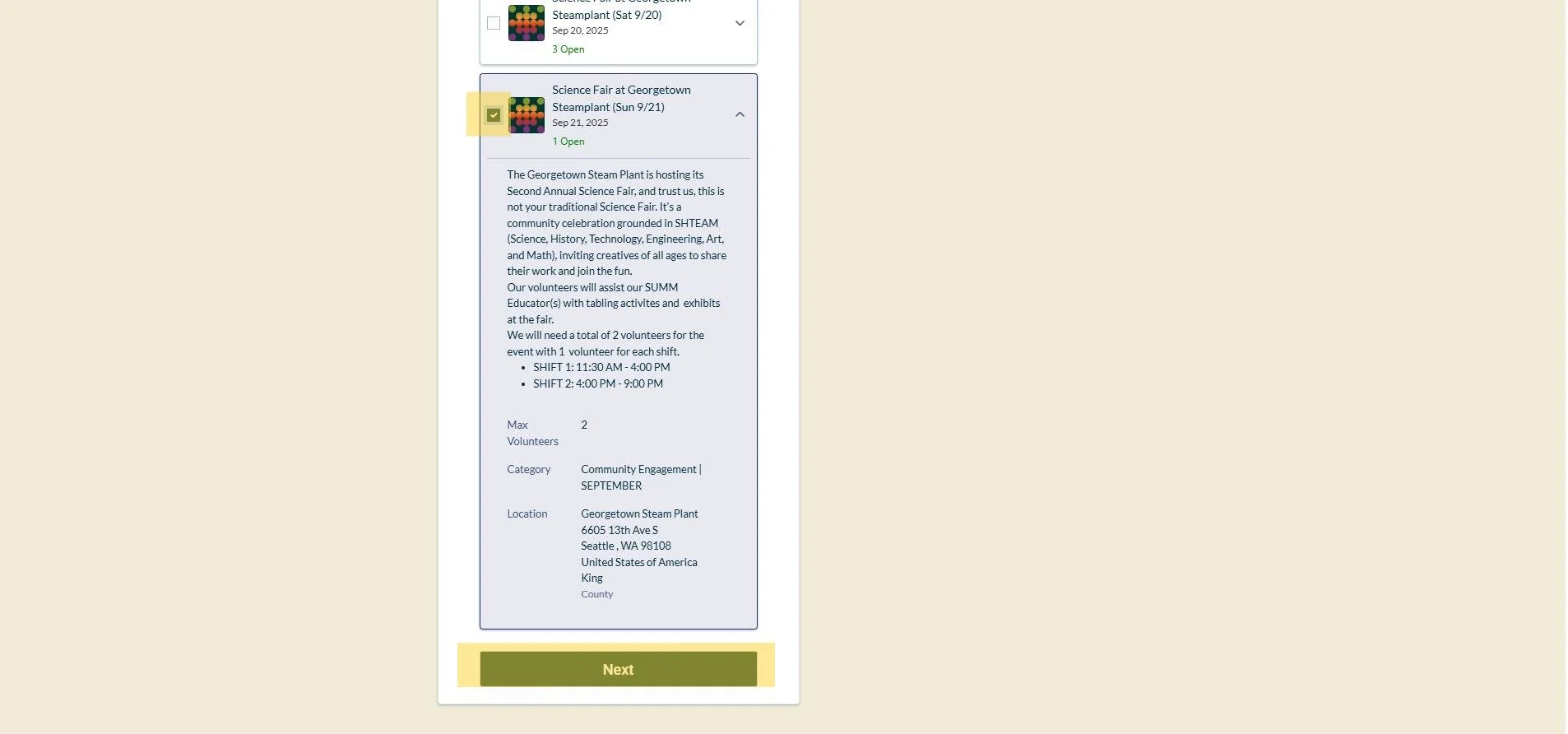
7. If there are multiple shifts for the opportunity, click the box on the left of the shift. Then, select “Next”.
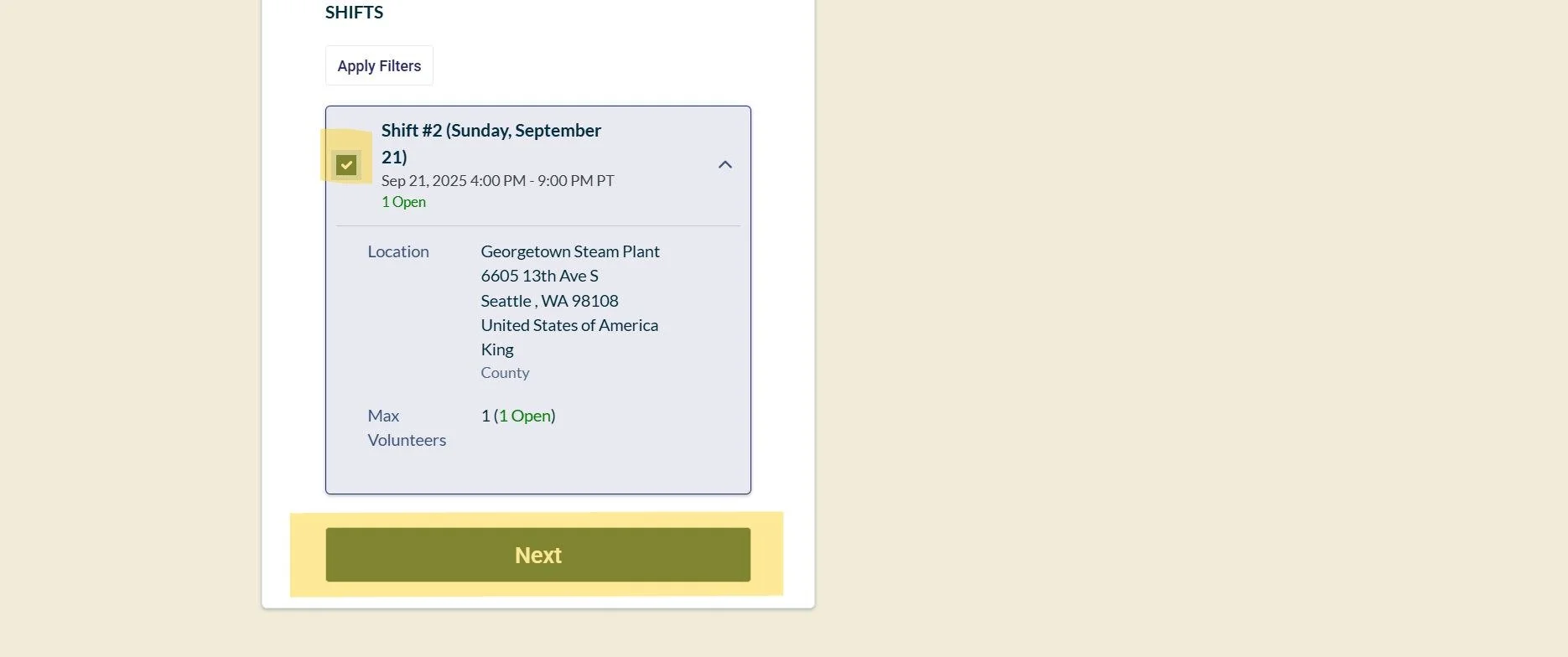
7. Fill out this section with your information as requested. Then, select “Submit”. Once you hit “Submit”, your indication of interest will go to the Volunteer Coordinator for approval.
8. To see if the Volunteer Coordinator has approved your attendance for a volunteer opportunity, you can select “My Volunteer Info” on the Left Hand Menu Bar. Your approved opportunities will show “Active”. Opportunities that show “Pending” is still awaiting approval.
As a volunteer, we depend on you to complete your scheduled shifts. We understand that occasionally situations may prevent you from being able to do so. If you know that you will not be able to make a shift for an event more than 24 hours before the shift, please contact the Event Main Point of Contact (from the Event Overview Email from Step 8) or the Volunteer Coordinator (volunteer-coordinator@seattlemathmuseum.org), to notify them of your absence. If you find that you are unable to attend on the day of your shift, please contact the Event Main Point of Contact and let them know that you are unable to come in.
9. You will receive an email from our Education Team or Event Point Person about 1-2 weeks in advance, leading up to your opportunity with more information, including meeting time, meeting location, parking information (if applicable), event point of contact information, etc.
10. Get excited to volunteer! 🙂